Theme picker
The window a player picks the blocks of their course from.
Opened by /parkour themes. Layout: menus/themes.conf, three rows.
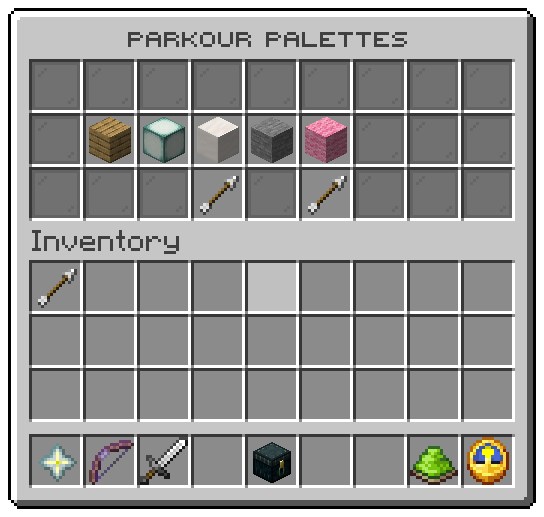
| Slot | Tile | Click |
|---|---|---|
| 10 to 16 | One tile per theme in config.conf, in the order written, drawn with its icon | Left: builds your runs from that theme and closes the window, with a pling |
| 21 | Previous page | Turns the page; does nothing on the first page |
| 23 | Next page | Turns the page; does nothing on the last page |
| every other slot | Grey glass filler | nothing |
The theme you build with glows and its tooltip says In use; the others say Ready. The choice is the same as
/parkour theme <theme> and starts with your next run. The words are under menu.theme in the messages files: the
crumb, the description, the state and the click line.
Tokens
| Token | Value |
|---|---|
%theme% | The theme's id |
%theme_icon% | Its icon from config.conf |
%theme_worn% | true on the theme the viewer builds with |
%tile_theme% | The whole tooltip, in the viewer's language |
Actions
| Action | Does |
|---|---|
parkour:choose-theme | Chooses the clicked theme |
Replace %tile_theme% with lore lines of your own and the plugin draws those instead. See
Menu files for every key a window file takes.
Related: Themes, Player commands
Was this page helpful?